
One screen for new and returning listeners. The same email address always opens the same account.
Short answer
Tap Continue with email, type your email, tap Continue, then type the 6 digits we email you. Or tap Continue with Apple (iPhone only) or Continue with Google.
The first time you open Berceuse, you see the sign-in screen. There is no password. New account or not, you use the same screen.
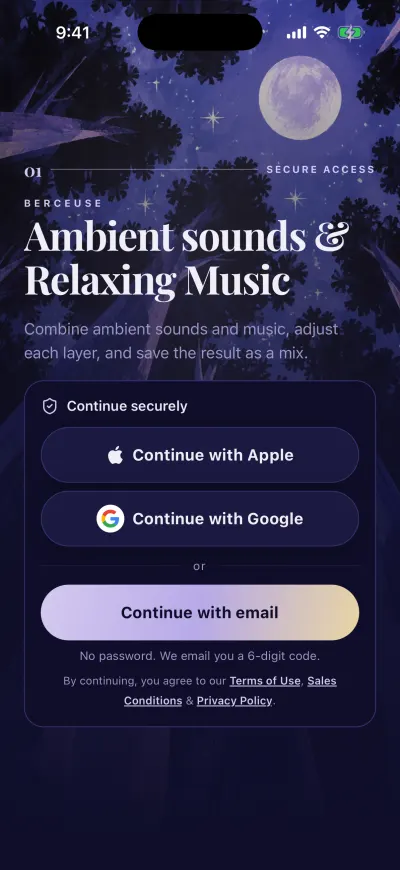
Three ways in. No password.
With your email
- Tap Continue with email.
- Tap the box under EMAIL ADDRESS and type your email address.
- Tap Continue. We send you an email with a 6-digit code.
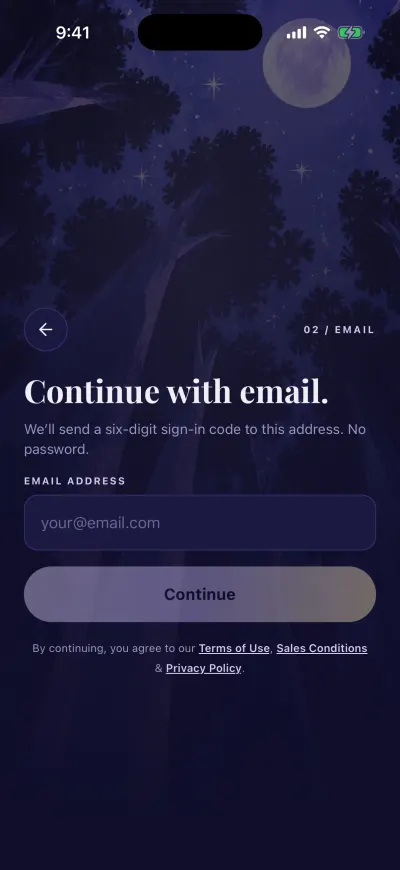
Type your email, then Continue.
- Open your emails. The email comes from Berceuse. Its subject starts with the 6 digits.
- Go back to Berceuse and type the 6 digits in the boxes. There is nothing else to tap: the app checks the code by itself.
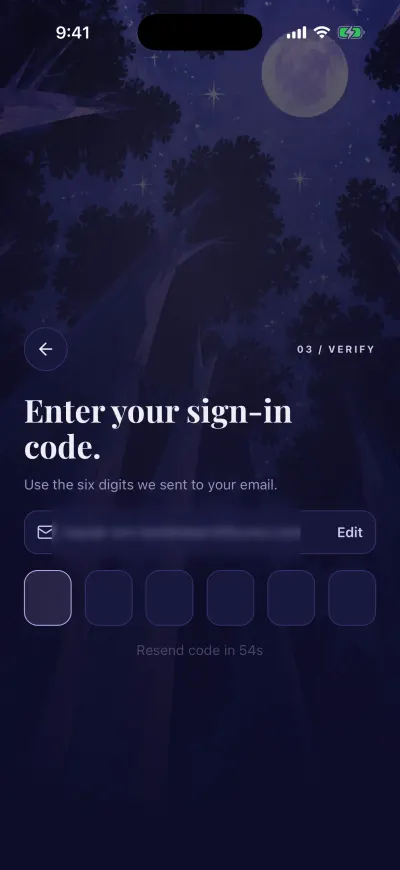
Type the six digits. The app checks them by itself.
The code works for 10 minutes. To fix a typo in your email, tap Edit next to it.
With Apple or Google
On iPhone
- Tap Continue with Apple or Continue with Google.
- Follow the steps in the window that opens: Face ID, your Apple password or your Google account.
- You come back to Berceuse, signed in.
Apple may offer to hide your email. Both choices work. Next time, tap Continue with Apple again to find the same account.
On Android
- Tap Continue with Google.
- Pick your Google account in the window that opens.
- You come back to Berceuse, signed in.
There is no Apple button on Android. Use Google or your email.
If you close the Apple or Google window, nothing happens. You can try again.
One email, one account
Apple, Google and the email code all open the same account when they use the same email address. A different email address opens a different, new account.
What you agree to
Under the buttons, the app reminds you that by continuing you accept the Terms of Use, the Sales Conditions and the Privacy Policy. Tap a name to read it.
After signing in
The first time, the first screens open. After that, you land on Home.
If a message appears
- Apple sign-in failed Check that you have Wi-Fi or mobile data, then tap Continue with Apple again. If you did not hide your email with Apple, you can also use Continue with email with the same address.
- Google sign-in failed Check your connection, then tap Continue with Google again. Or use Continue with email with the same Gmail address.