
It takes three taps. It can't be undone, so read this first.
Short answer
Tap Settings, scroll to the bottom, tap Delete Account, then confirm. Your account, mixes, playlists and likes are deleted. Deleting does not cancel your subscription: cancel it in the App Store or Google Play first.
First, cancel your subscription
Deleting your account does not stop the payments. The subscription is billed by Apple or Google. Cancel it first, in the store you paid with. See Cancel your subscription.
Delete your account
- Tap Settings in the bar on the left.
- Scroll down to the bottom, under Account.
- Tap Delete Account, in red.
- The app shows: This permanently deletes your account and all your data (saved mixes, playlists, likes). This cannot be undone.
- Tap Delete Account to confirm. To keep your account, tap the other button instead.
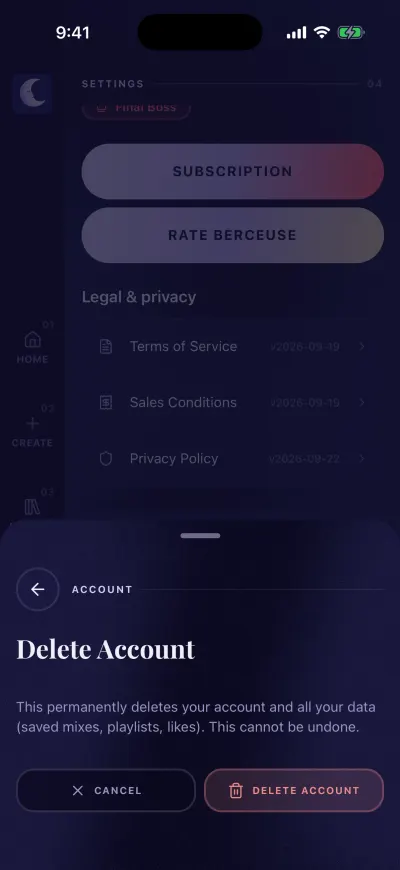
Tap Delete Account only if you are sure.
The app signs you out and shows the sign-in screen.
What is deleted
- Your account and your email address.
- Your name.
- Your saved mixes and playlists.
- Your likes.
- Your sign-in on every phone. If you signed in with Apple, Berceuse's access to your Apple ID is removed too.
Sounds you downloaded stay on this phone until you delete the Berceuse app.
If a message appears
Could not delete your account. Please try again. Nothing was deleted. Check your Wi-Fi or mobile data, then try again. If it keeps failing, write to us and we delete it for you.