Deleting a mix takes it out of your Library for good. Your other mixes stay.
Short answer
Open your mix from Library, Created. Scroll to the bottom, tap Delete Mix, then tap Delete.
Delete a mix
- Tap Library in the bar on the left.
- Tap Created at the top.
- Tap the mix. Its page opens.
- Scroll down to the very bottom.
- Tap Delete Mix, the red button.
- The app asks you to confirm, with the name of the mix. Tap Delete, the button with the bin.
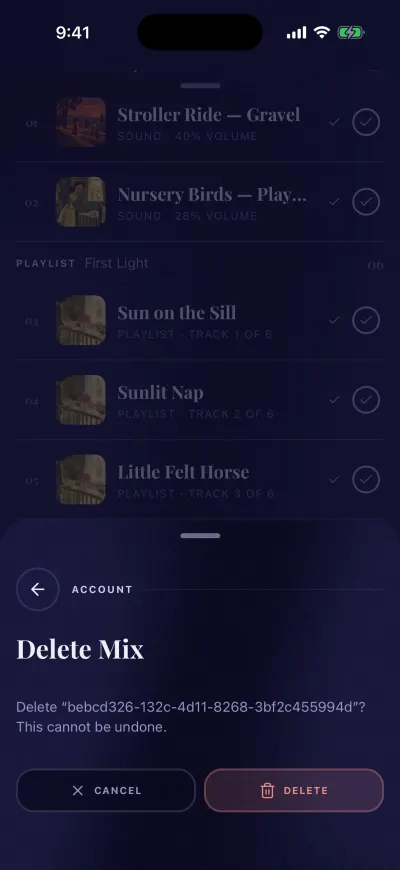
Delete only if you are sure. It cannot be undone.
The page closes and the mix is gone from your Library. This cannot be undone.
To keep the mix, tap the button with the cross instead.
Only the mixes you made can be deleted. A Berceuse mix has no delete button.
A playlist of your own
If Created shows a playlist of your own, its page has Delete Playlist at the bottom. It works the same way.
Empty the mixer instead
To remove a mix from the mixer without deleting it, tap Clear at the bottom right of the mixer. The mix stays in your Library.
If it cannot be deleted
A message says the mix could not be deleted. Check your Wi-Fi or mobile data, then try again. Your mix is still there.