SkipTube follows your iPhone's language. You can also pick one language for SkipTube only.
Short answer
Tap Settings, then App language, then the language you want. The app changes at once.
SkipTube is for iPhone.
Pick a language
- Tap Settings in the tab bar.
- Under App, tap App language.
- Tap the language you want. The screen closes and SkipTube is in that language.
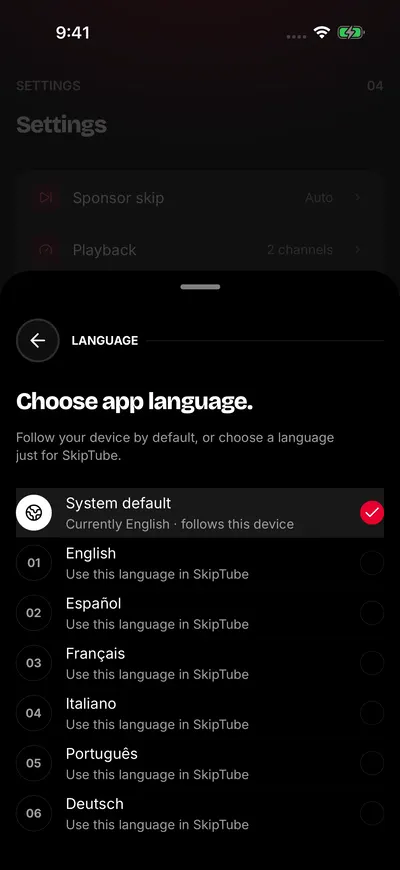
Tap a language. The app changes at once.
At the top, the screen says Choose app language. Under it: Follow your device by default, or choose a language just for SkipTube.
The languages
SkipTube comes in English, Spanish, French, Italian, Portuguese and German. Each one is written in its own language on the list, so you can find yours even if the app is in another language now.
System default
The first choice is System default. It follows your iPhone. SkipTube uses the first language in your iPhone's list that it has. If it has none, it uses English.
Under it, a line says which language it uses now. The row in Settings shows that language too.
Pick one language instead and SkipTube stays in it, whatever the iPhone does. Each of those rows says Use this language in SkipTube
What the language changes
It changes the words in SkipTube. The Help and support row opens this help site in the same language. See Settings, row by row.
The language is kept on this phone only. It does not follow your account to another phone. On the other phone, pick it again.