Quick answer
How do I download a mix or a playlist?
- Open the mix or the playlist.
- Tap Download all above its list of sounds.
- The Downloads screen opens. Wait until each sound says Available offline.
In a list, you can also tap the small arrow pointing down on the right of a row. Downloads are part of the subscription.
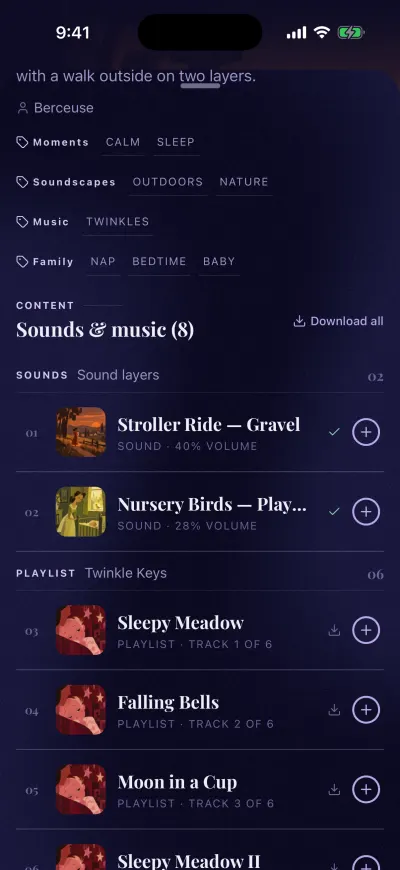
Download all puts the whole mix on your phone.
Read the full guide: Download a mix to play it with no internet →
Still stuck?
Ask us and follow the steps, or send it to a person. We attach what you read.
Did this fix it?No, ask us