
One family holds up to 3 babies on the Family plan. Every carer sees every baby.
Short answer
Tap Baby, scroll to Family, tap Add another baby, fill in the name and birth date, then tap Save.
Veilleuse is for iPhone.
Add a baby
- Tap Baby at the bottom right of the screen.
- Scroll down to Family.
- Tap Add another baby. A page slides up: Add a baby
- Type the name under Name.
- Under Born, tap the date. A wheel opens: slide the day, the month and the year up or down, then tap Done.
- If you like, tap Girl or Boy, and Choose a picture.
- Tap Save at the bottom.
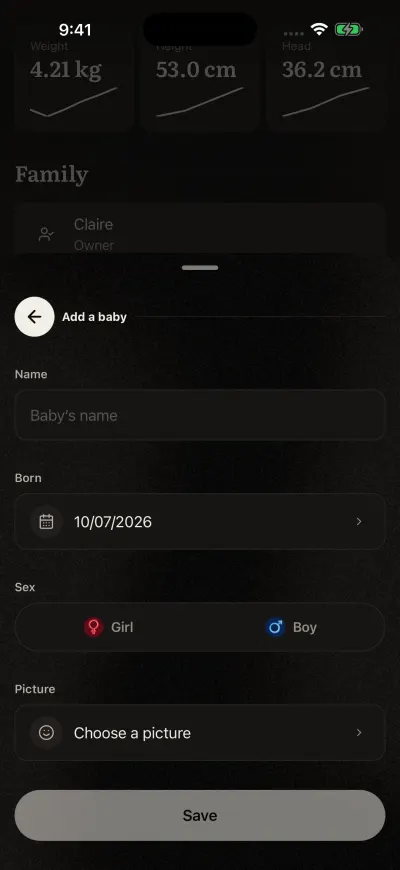
A name and a birth date are enough.
The page closes and the new baby shows on Home. With two babies or more, you can also tap Switch baby on the baby screen, then Add another baby.
Up to 3 babies
A family on the Family plan can have 3 babies at a time. With 3, the app says Your family is full and asks you to archive a baby to add another. An archived baby does not count.
On the Free plan, a family logs one baby. Adding a second baby opens the plans screen.
If it does not save
A box says We could not save your baby. Please try again. Check your connection, then tap Save again. What you typed is still there.